Featured - Power Apps
Expense Report
Transform your expense tracking and requisition process with this powerful yet simple and secure Power Apps Expense Report and Tracking app with built-in Power BI Reporting capabilities. It is fully integrated with the Office 365 platform and Active Directory.
This Power Apps Expense Report is built in Microsoft Power Apps using Microsoft Flow, Power BI, and Azure SQL or Dataverse. Easily reimburse incurred expenses and allocate to projects for accounting. Receipt attachments, view attachments and download attachments make the process more transparent. Power Apps Expense Reporting and Tracking app also comes with pre-built Power BI Reporting to slice and dice your time tracking and budgeting. With built-in Microsoft Flow communication for accepting and rejecting Expense requests via approval emails from project members to approvers and beyond, VNB Consulting’s Expense Request and Approval App is a powerful tool built on a dynamic platform.
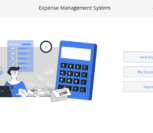
Main Landing Screen
When the user lands on this dashboard, depending on the role they belong to, a user can perform some or all functions. An employee user can create expense requests and submit them to their managers. A manager user can create requests, review, or approve expense requests.
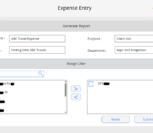
Expenses Details
The expense request screen allows users to create new requests, edit existing requests and submit the requests for approval. The user can quickly select the type of expense, amount for the project, or client and on the day it incurred. The user can also add one or more attachments and verify them through the View Attachments feature.
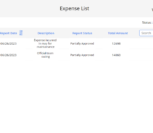
Expenses List
This screen shows a list of all expense requests option to create a New Request, Delete or Edit the requests (only the ones that are not submitted).
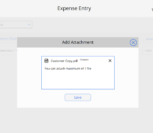
Add Expense Attachments
The Attachment screen allows users to add or delete the attachments to support the submitted requests.